Your screenshots in 39 languages
People download apps that speak their language. Translate every headline in a click, show your app's own screens in each language, and publish them all at once.
Free to design. Pay only when you’re ready to ship.
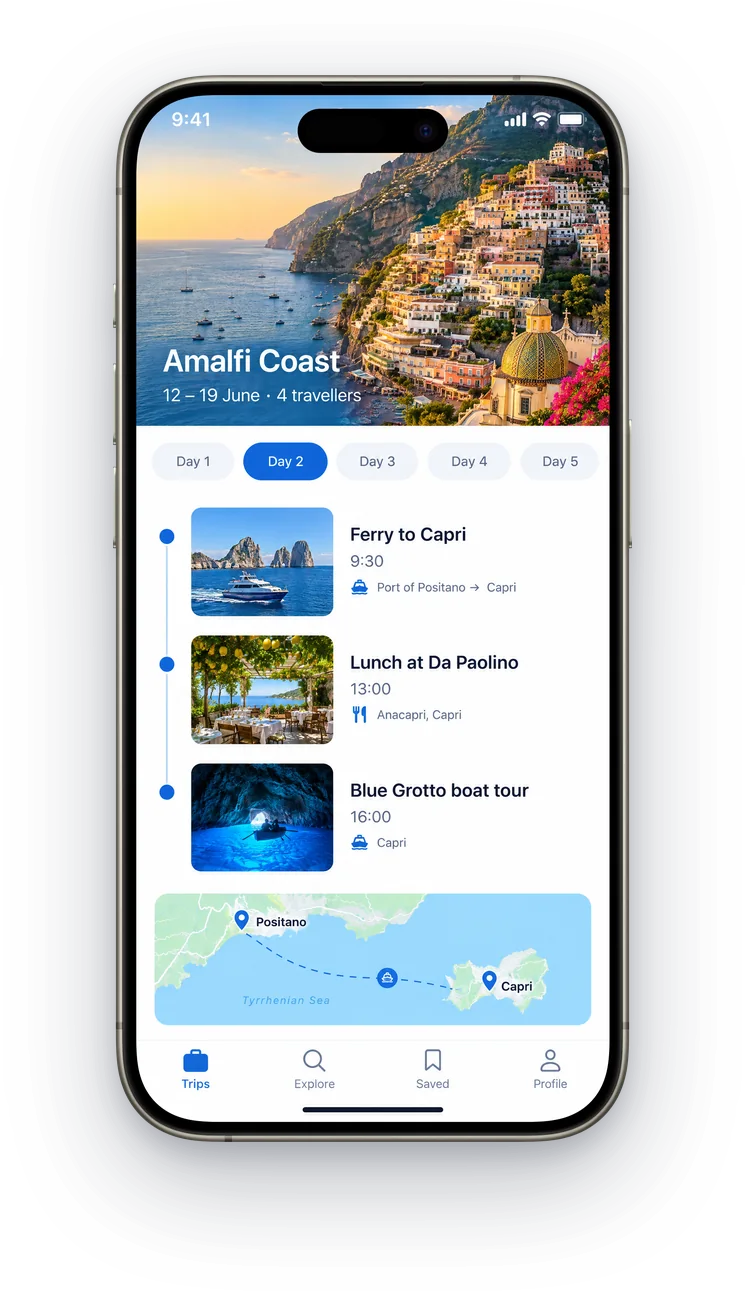
English
English
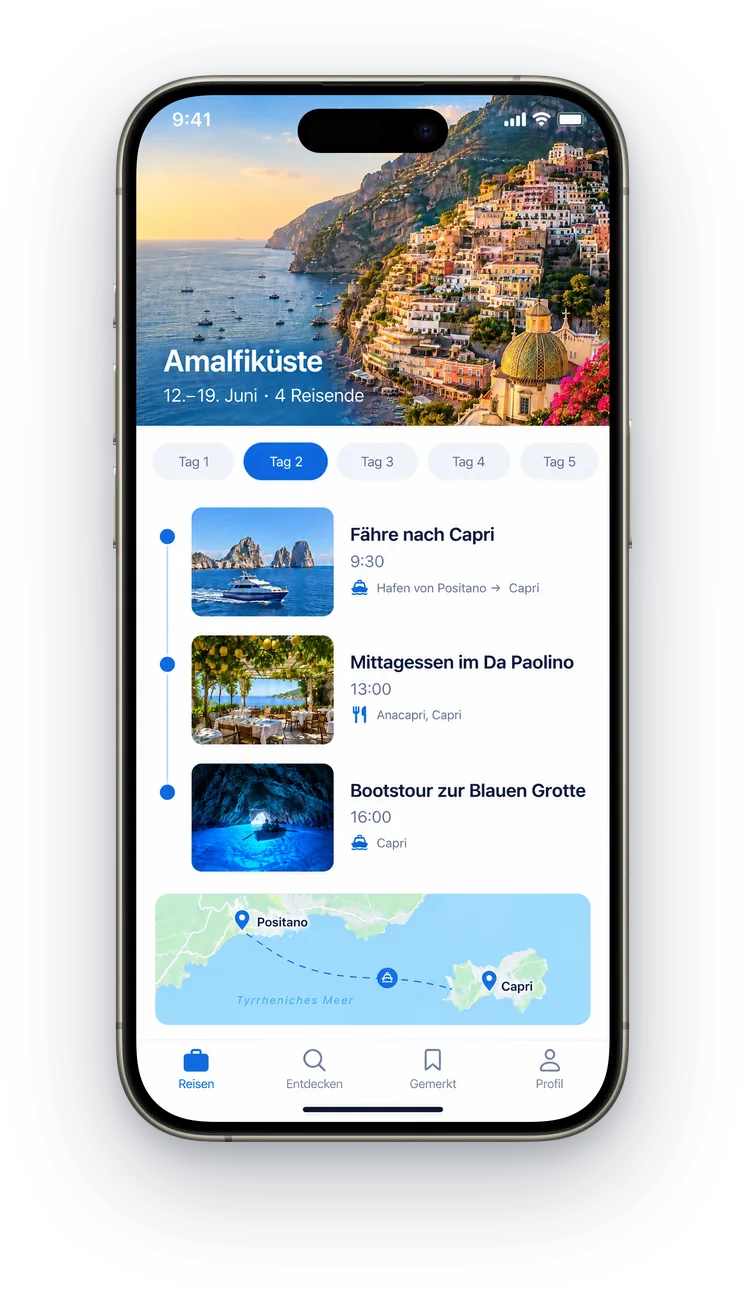
Deutsch
German
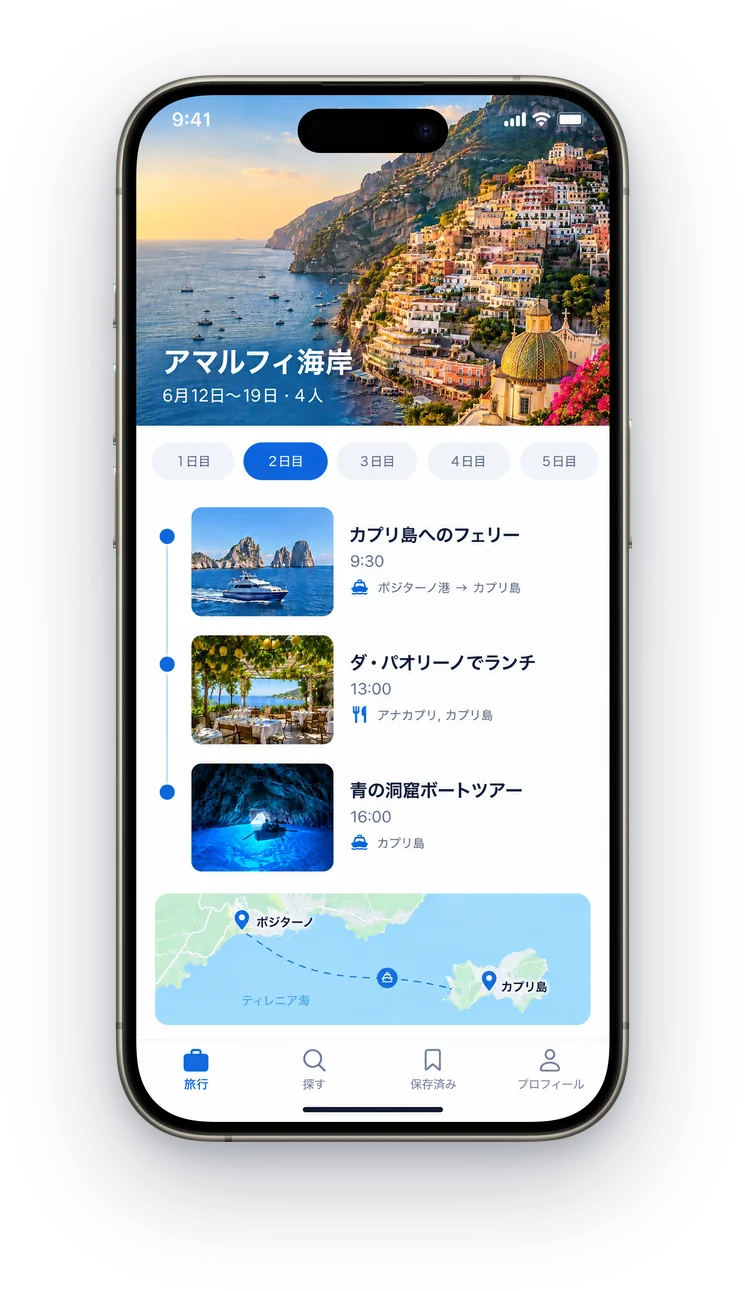
日本語
Japanese
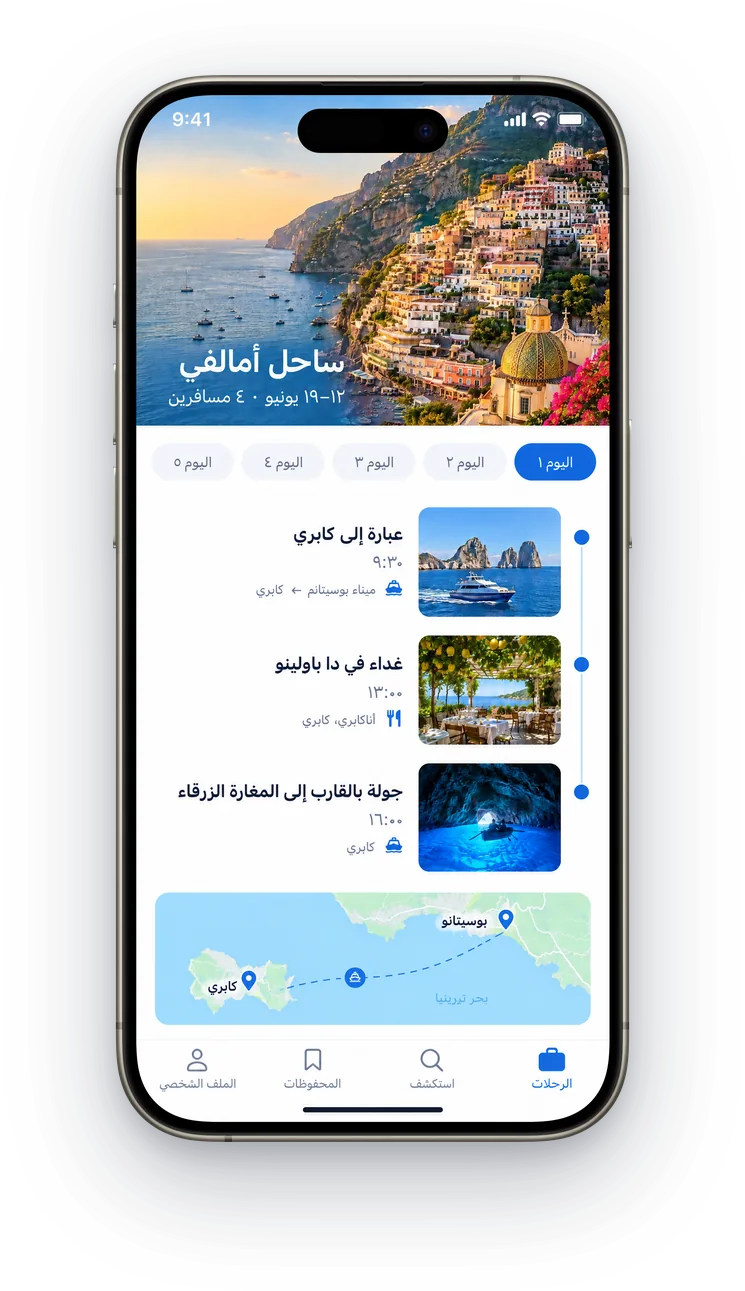
العربية
Arabic
380+ device mockups · Every App Store and Google Play size · 39 languages
How to localize App Store screenshots
Add your markets
Open Languages and pick the markets you want. With “Translate right away” on, each one is translated as it's added.
Check each language
Switch language from the top bar. Every line stays editable, and brand names you mark “Never translate” stay as they are.
Give each market its screens
Add captures of your app in each language, or have ScreenMake translate the text inside your existing ones.
Then finish the whole listing
ScreenMake is a full screenshot studio, so you don’t stop at one picture.
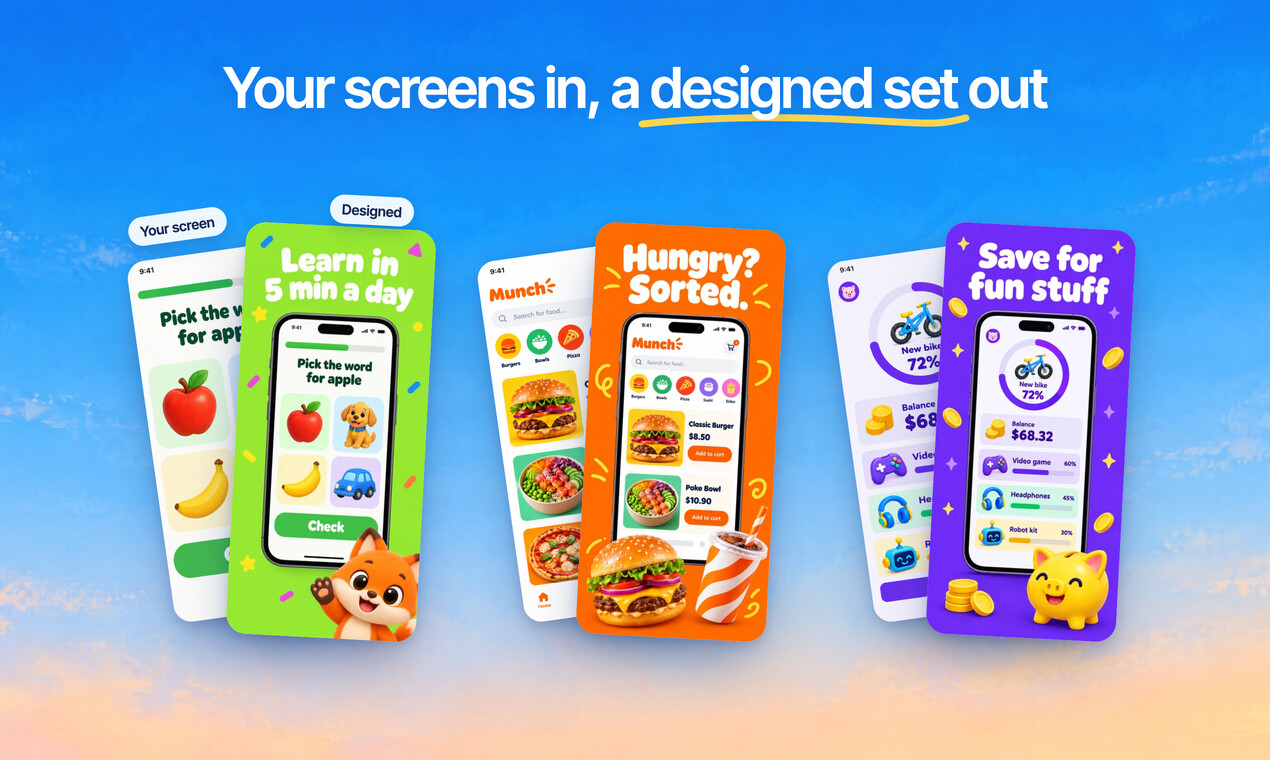
Quick Draft designs a full set of screenshots from your app’s screens, mockups and headlines included.
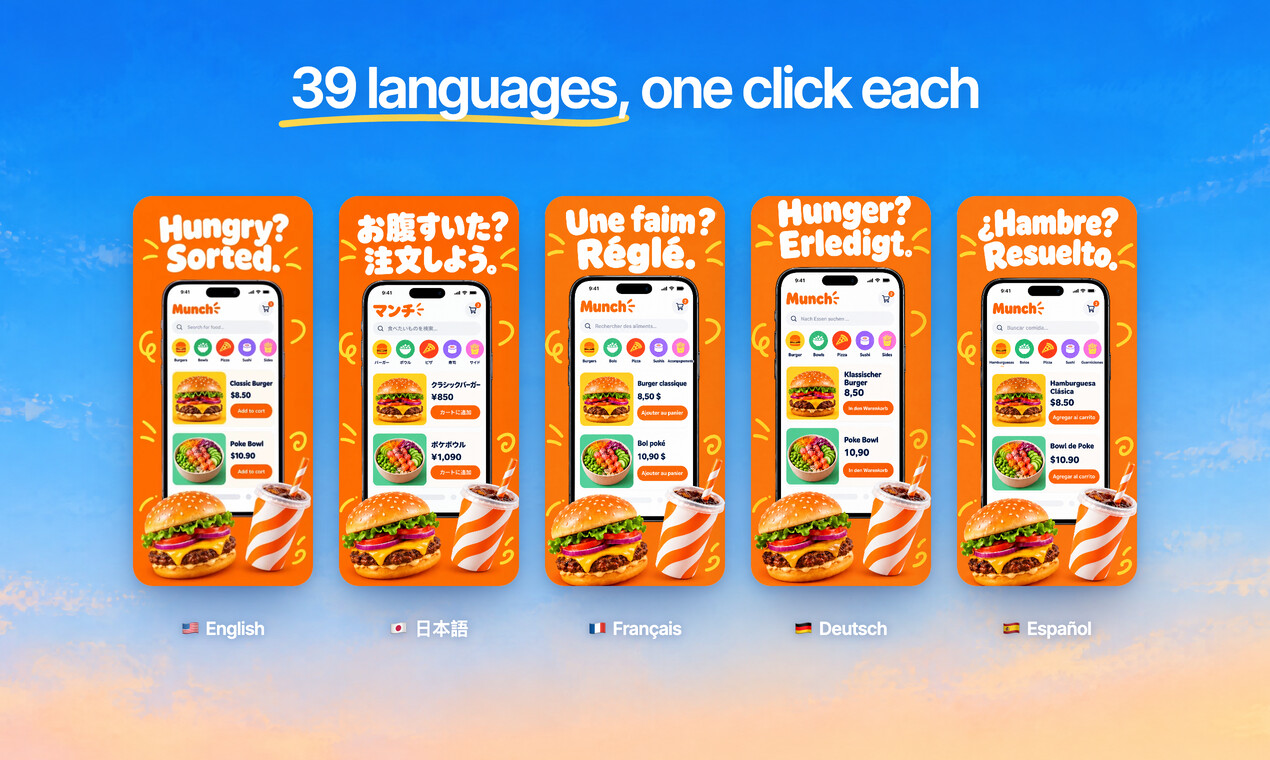
Translate every headline into 39 languages, and show your app in each one.
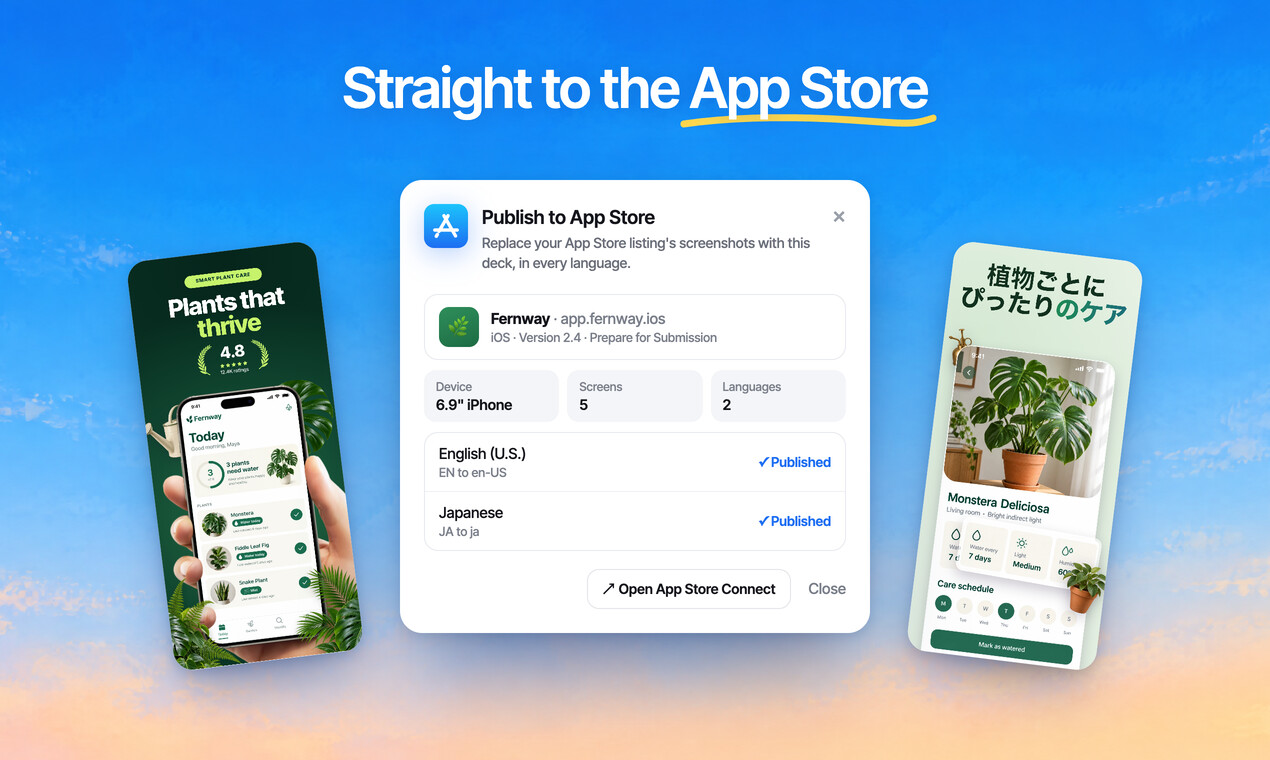
Publish the whole set to App Store Connect, every size and language, in one go.
Free to design. Pay only when you’re ready to ship.
One design, 39 languages
Translate the whole set in a click, then fine-tune any line.
- Every headline, translated. One click per language, and any line stays yours to edit.
- Right to left, handled. Arabic and Hebrew layouts mirror themselves.
- The app screen too. The screenshot inside the phone is redrawn in the new language.
- All 39 App Store languages, from Català to Tiếng Việt.
Questions, answered
Which languages can I translate into?
39, covering every App Store and Google Play locale people usually localize for, including Japanese, Korean, Chinese, Arabic, Hebrew and the main European languages.
Do longer languages break the layout?
No. Translations are written to fit your design, so German or Finnish headlines don't spill out of their space.
What about right to left languages?
Arabic and Hebrew layouts mirror themselves, so headlines and frames sit where readers of those languages expect them.
Can I use my own translator?
Yes. Export every string as a CSV or strings file, and import the translations back. Typing a translation yourself uses no credits.
Can I publish every language at once?
Yes, to the App Store: ScreenMake sends each language's screenshots to its App Store Connect localization. For Google Play, export them and upload per language.
Start with your own screens
Add a few captures of your app and see it in a designed set before your coffee gets cold.
Free to design. Pay only when you’re ready to ship.