Launch special: $37 once. The price goes up to $47 on 1 December.
Attention app developers, indie makers and agencies
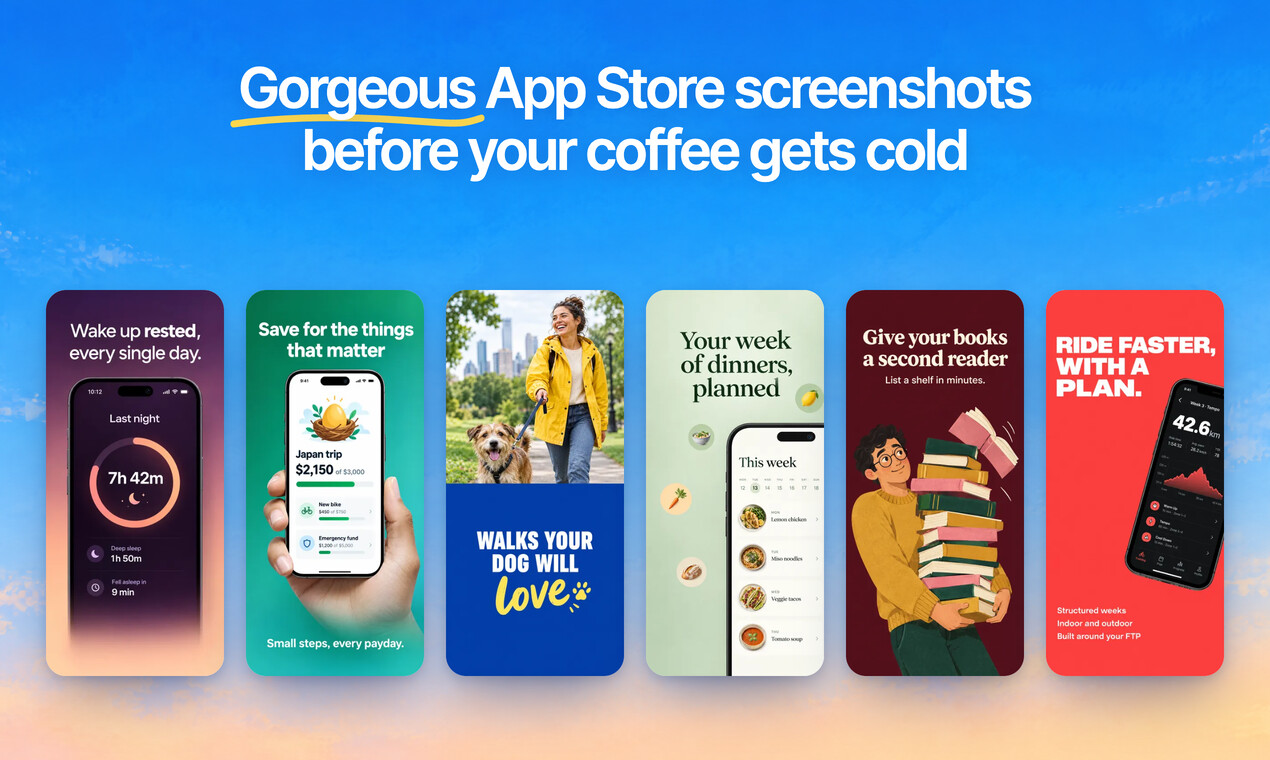
Turn your app’s plain screens into App Store screenshots that get downloads. In minutes, not days.
Pick one of 34 templates or just describe the look. ScreenMake designs the set, translates it into 39 languages and exports every App Store and Google Play size. No design skills. No designer. No monthly fee.
One payment, no subscription · 30 days money back guarantee
34
ready made templates
39
languages, one click each
380+
device mockups
1 click
to App Store Connect
Your app is great. Your screenshots are losing you downloads.
Sound familiar?
- You finished the app. Now you stare at an empty canvas, and every screenshot needs its own idea.
- Design tools are slow, and you’re a builder, not a designer.
- A designer costs hundreds of dollars and takes days, for every update.
- Plain screenshots make a great app look like every other app in search.
- Screenshots now have a bigger impact on ASO, and they’re the first thing people see before they tap Get.
ScreenMake brings the ideas, so your screenshots get the same care as your app.
Three steps. That’s it.
- 1
Drop in your app’s screens
The plain screenshots you already have from your phone or simulator.
- 2
Pick a template, or let AI design it
Choose one of 34 templates, or let ScreenMake draft a whole set from your screens. Then just say what to change.
- 3
Export every size, in every language
Every App Store and Google Play size, translated into up to 39 languages, or published to App Store Connect in one click.
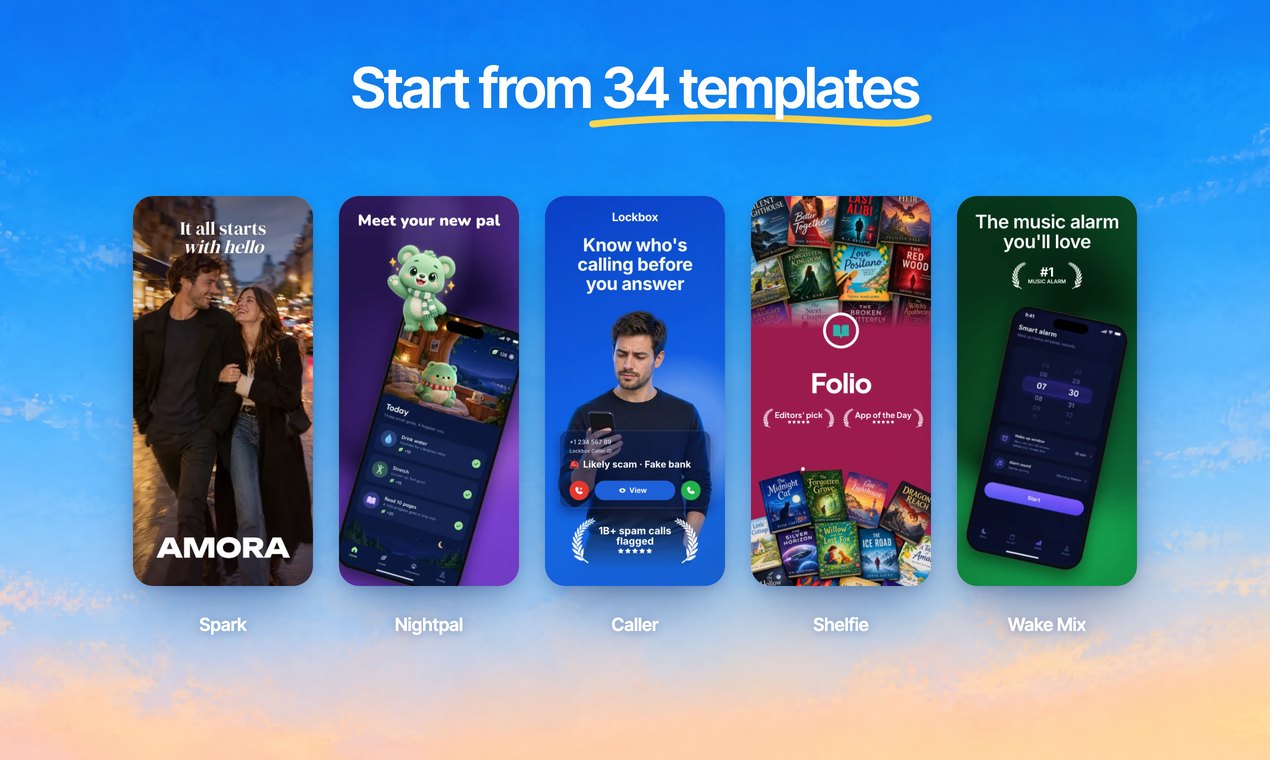
34 templates, ready when you are
Pick a look styled after the best listings on the App Store. Your screens drop right into every phone, and every word, colour and layer stays yours to change.
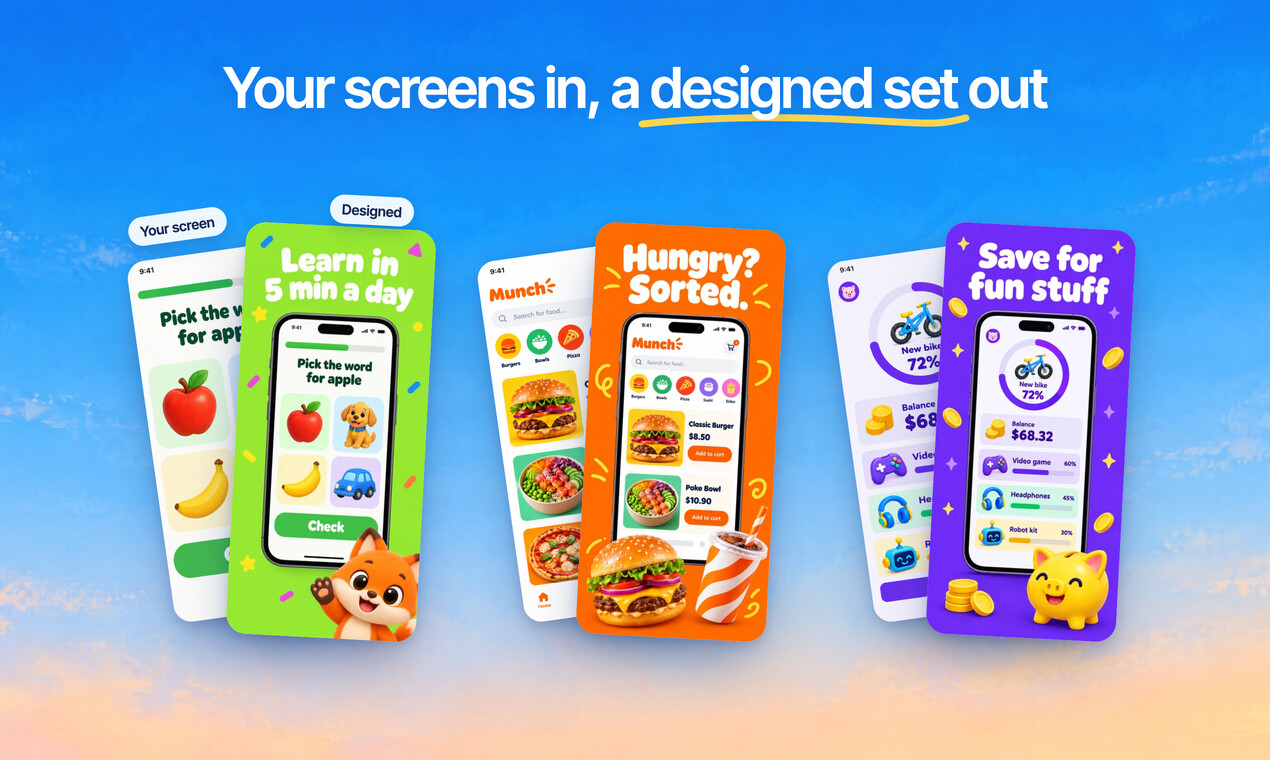
Your screens in, a full set out
ScreenMake puts your screens in real devices, with headlines and backgrounds that fit your app. No blank canvas, ever.
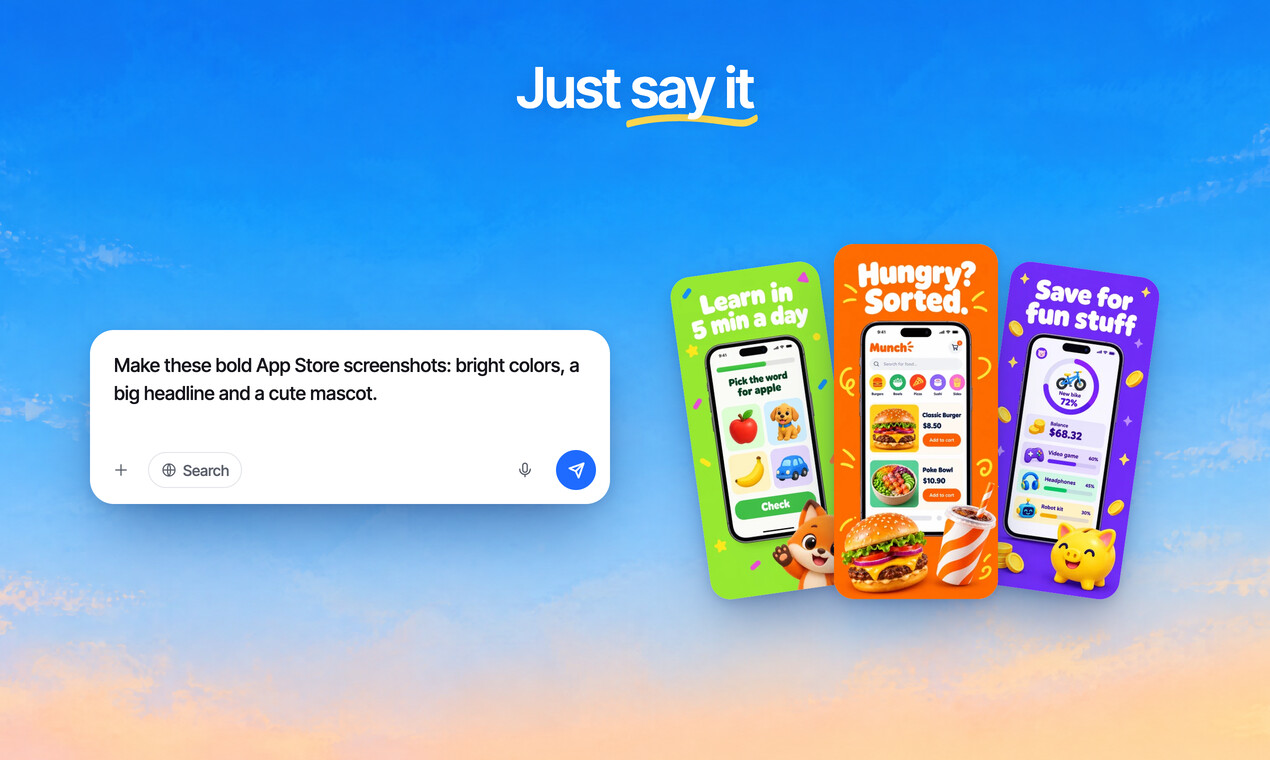
Just say what you want
Tell AI Mode “bright, bold, with a mascot” and it designs your screens from that one message. No design skills needed.
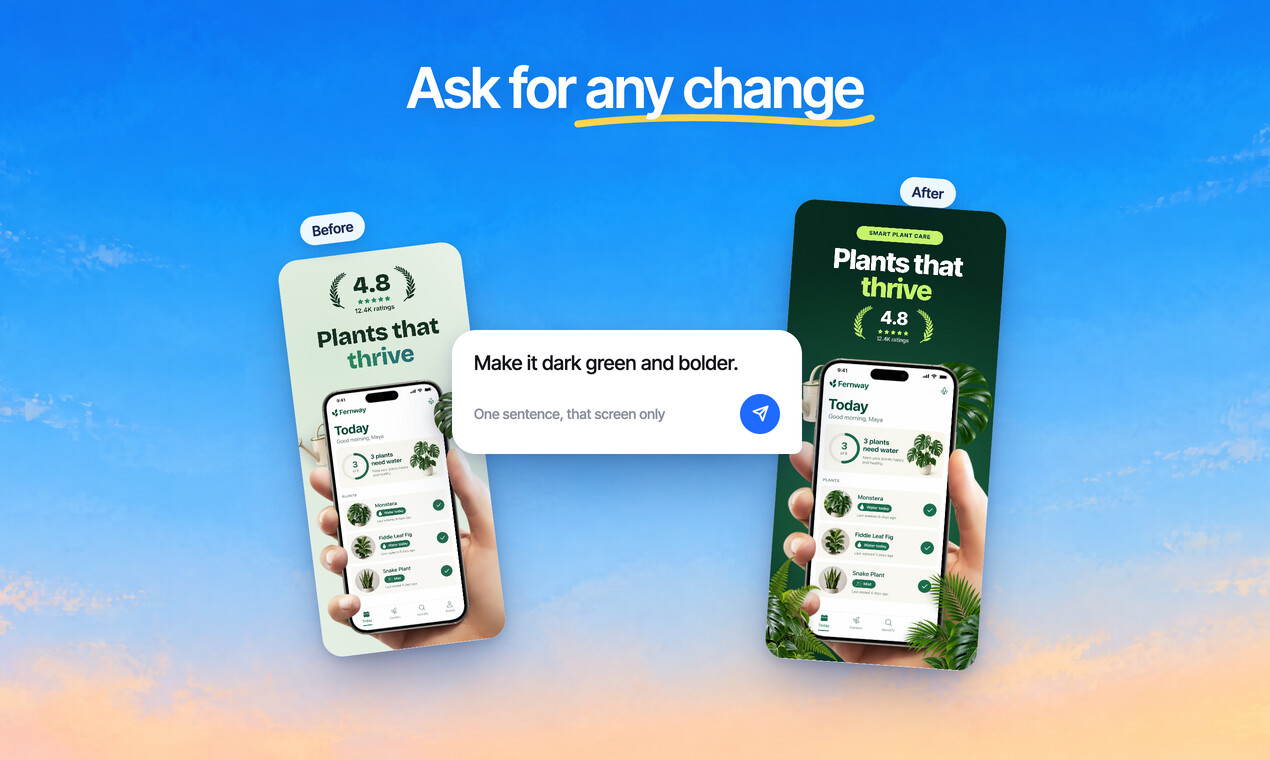
Ask for any change
Bigger headline, warmer colours, a different phone. Say it in plain words and it’s done.
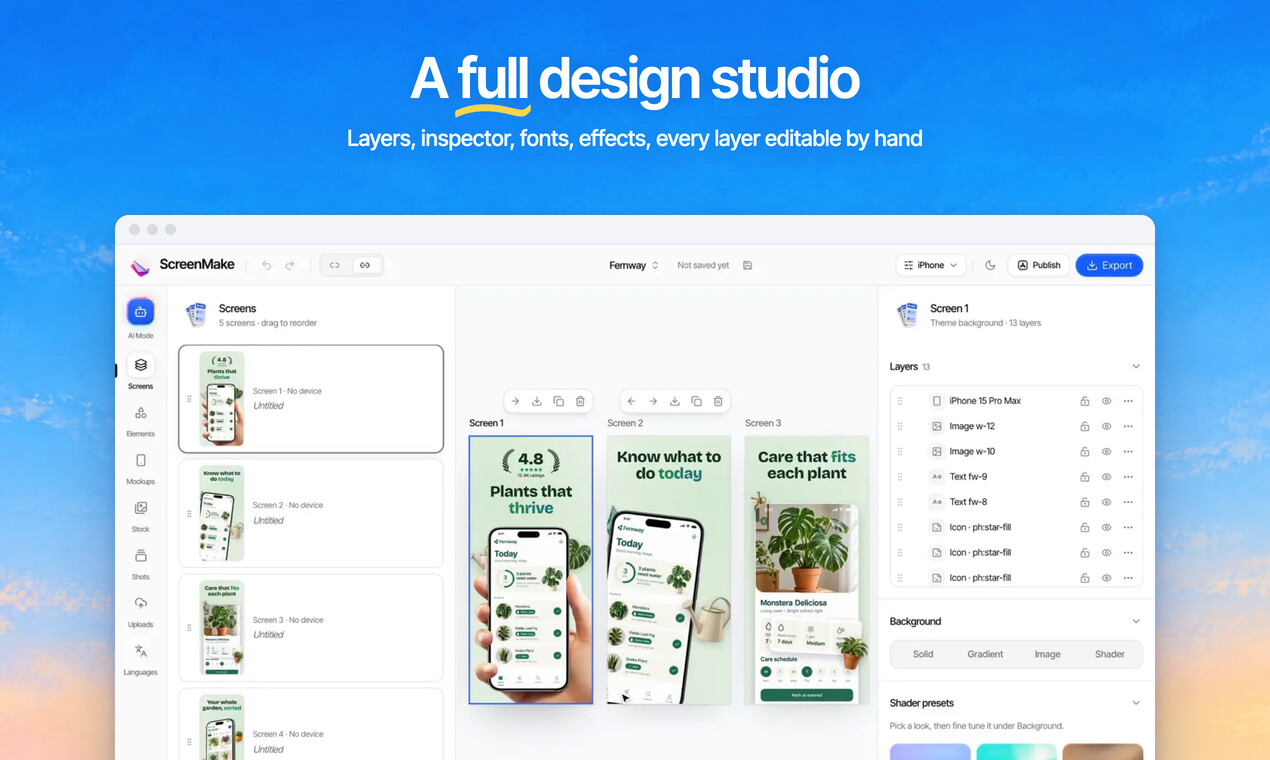
A full design studio when you want it
Layers, fonts, shapes, gradients, shadows and effects, everything you’re used to from pro design tools. Every layer stays editable by hand.
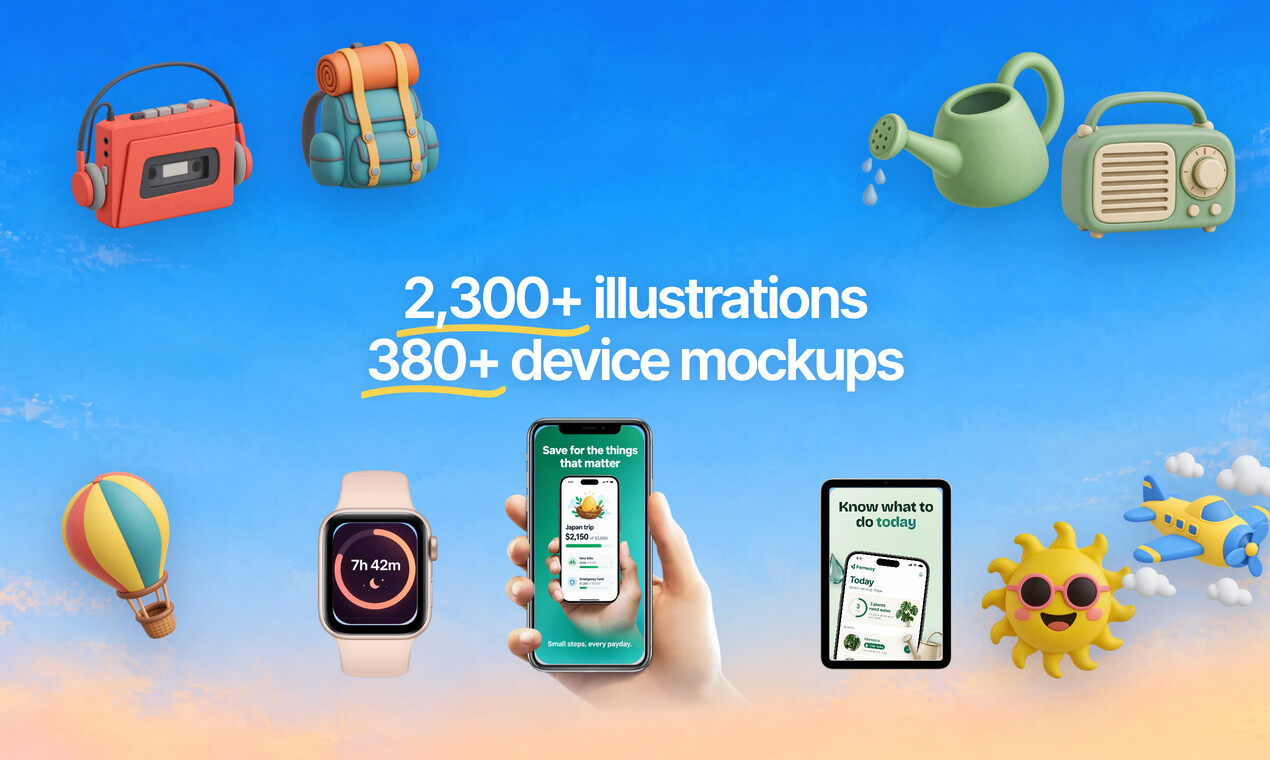
2,300+ illustrations and 380+ mockups
Flat, 3D and in hand device frames, icons, emoji, 3D emoji and stock photos, all built in.
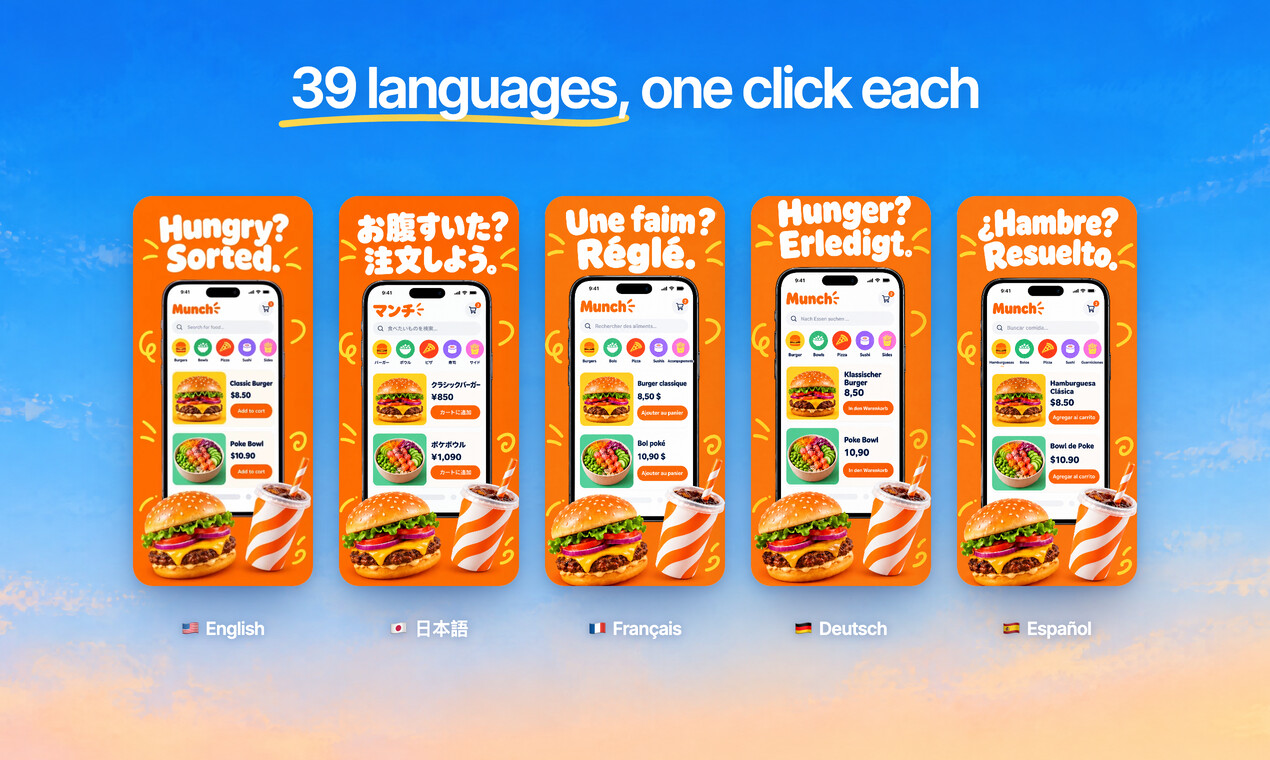
39 languages, one click each
Translate the whole set in a click, then fine tune any line. Arabic and Hebrew mirror automatically.
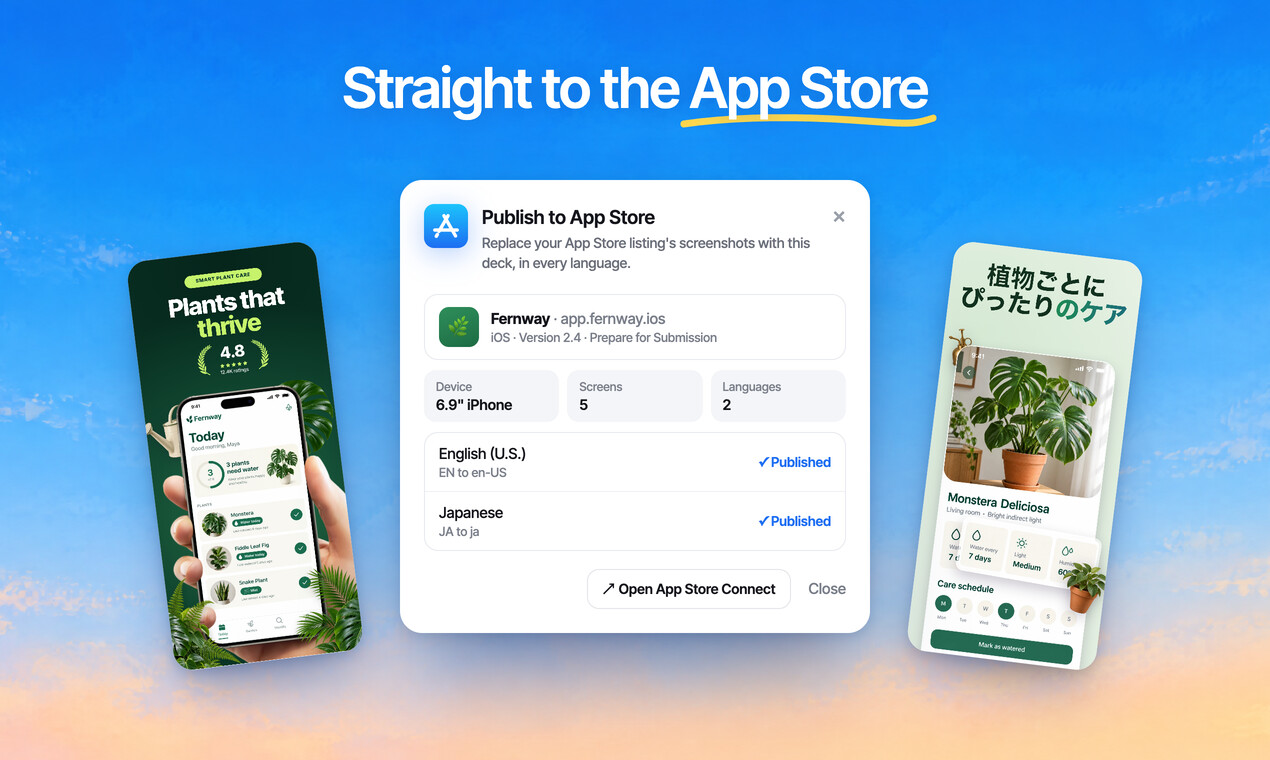
Straight to the App Store
Export every App Store and Google Play size, or publish to App Store Connect in one click.
ScreenMake vs the old way
Same goal: a store page you’re proud of. Very different road.
| Hiring a designer | Design tools, by hand | ScreenMake | |
|---|---|---|---|
| Cost for a set | Hundreds of dollars, again for every update | A monthly subscription and your evenings | $37 once for 3 months |
| Time | Days of back and forth | Hours per set | Minutes |
| Ideas for every screen | Yes | Up to you | Templates and AI Mode bring them |
| Every store size | Usually extra | Resize by hand | Every size from one design |
| 39 languages | Extra, per language | Copy, paste, fix | One click each |
| Publish to App Store Connect | No | No | One click |
Use it for your apps. Or get paid to use it for others.
Every app on the store needs screenshots, and every update needs new ones. What you make with ScreenMake is yours to use commercially, so you can offer screenshot sets as a service.
Your own apps
A store page that looks as good as your app, refreshed with every release.
Client apps
Agencies and studios: hand over store screenshots with every app you ship.
A new service
Freelancers: sell screenshot sets and translations to app makers who need them.
We don’t promise any income. What you earn from client work depends on you, your clients and your prices.
Who it’s for
Plus 5 bonuses, free with your deal
Guides that make your screenshots sell even harder. Yours the moment you buy.
Bonus 1 · included
The Screenshot Story Playbook
What to put on every screenshot, in what order, so the first three do the selling.
Bonus 2 · included
96 Screenshot Headlines That Sell
Eight proven headline shapes for each of twelve app categories, ready to adapt.
Bonus 3 · included
Store Sizes and Rules Cheat Sheet
Every screenshot size and rule for the App Store and Google Play, on one page.
Bonus 4 · included
The ASO Quick Start
The fields that decide where you rank, with the limits and what to put in each.
Bonus 5 · included
The Go Global Starter
Which languages to add first, and how to translate your screenshots without breaking them.
Get everything today, for one small payment
The launch price ends on 1 December.
ScreenMake Pro · 3 months · launch deal
$37$57
once, not monthly · $57 is 3 months of Pro at the normal price · $47 from 1 December
- 3 months of ScreenMake Pro
- 300 AI credits for designs, edits, images and translations
- All 34 templates
- Unlimited projects and exports, no watermark
- Every App Store and Google Play size
- 2,300+ illustrations and 380+ device mockups
- Translation into 39 languages
- One click publishing to App Store Connect
- Commercial use: make sets for your apps and your clients’ apps
- 5 bonus guides
Secure checkout through JVZoo · 30 days money back guarantee
Try it for 30 days. Love it, or get your money back.
Make your screenshots, try the templates, ship a set. If ScreenMake isn’t for you, ask for a refund within 30 days and you get every cent back. No hoops.
Questions
Is this a subscription?
No. You pay $37 once and get 3 months of Pro. Nothing renews. When it ends you can choose a plan to keep going, or simply stop. Your projects stay in your account.
Do I need design skills?
No. Start from one of 34 templates, or add your app’s screens and ScreenMake makes a first draft of your set. Then describe any change in plain words. Every layer stays editable by hand if you want full control.
Does it work for Google Play and iPad?
Yes. Every App Store and Google Play size, phones and tablets. An iPhone set carries over to iPad without redesigning it.
Can I use it for clients?
Yes. What you make is yours to use, including commercially, so you can design sets for your own apps and for clients’ apps.
What do the AI credits do?
They pay for AI work: designing a set, making changes, generating images and translating. Templates, editing by hand, projects and exports never use credits.
I already have a ScreenMake account.
Pay with the same email and the deal goes on that account. If you pay with another email, reply to the welcome email and we’ll move it over.
What if it isn’t for me?
Ask for a refund within 30 days and you get your money back.
How do I get in after paying?
You get an email from ScreenMake right away with a link into your account, your bonuses and your next steps. It goes to the email you paid with.
Your app deserves screenshots as good as it is.
One payment, no subscription · 30 days money back guarantee
Sold through JVZoo, which handles the payment. ScreenMake is made by PRO CODE SERVICES LTD. Not affiliated with Apple or Google; App Store is a trademark of Apple Inc. and Google Play is a trademark of Google LLC. Questions before you buy: support@screenmake.com.
Disclaimer: Please note that this product does not provide any guarantee of income or success. The results achieved by the product owner or any other individuals mentioned are not indicative of future success or earnings. This website is not affiliated with FaceBook or any of its associated entities. Once you navigate away from FaceBook, the responsibility for the content and its usage lies solely with the user. All content on this website, including but not limited to text, images, and multimedia, is protected by copyright law and the Digital Millennium Copyright Act. Unauthorized copying, duplication, modification, or theft, whether intentional or unintentional, is strictly prohibited. Violators will be prosecuted to the fullest extent of the law.
We want to clarify that JVZoo serves as the retailer for the products featured on this site. JVZoo® is a registered trademark of BBC Systems Inc., a Florida corporation located at 1809 E. Broadway Street, Suite 125, Oviedo, FL 32765, USA, and is used with permission. The role of JVZoo as a retailer does not constitute an endorsement, approval, or review of these products or any claims, statements, or opinions used in their promotion.